
Chart workspace and navigation
Plan a readable chart area, symbol selection, timeframes and layout controls. Agree the chart types, interactions and device behavior supported by the chosen implementation.
Put the chart at the center of your product.
Build an independent, browser-based analysis workspace inspired by the TradingView experience. Bring charts, watchlists and market information together in a branded website, with the charting technology and data sources agreed for your project.
Project-specific pricing. Request your quote on Telegram.
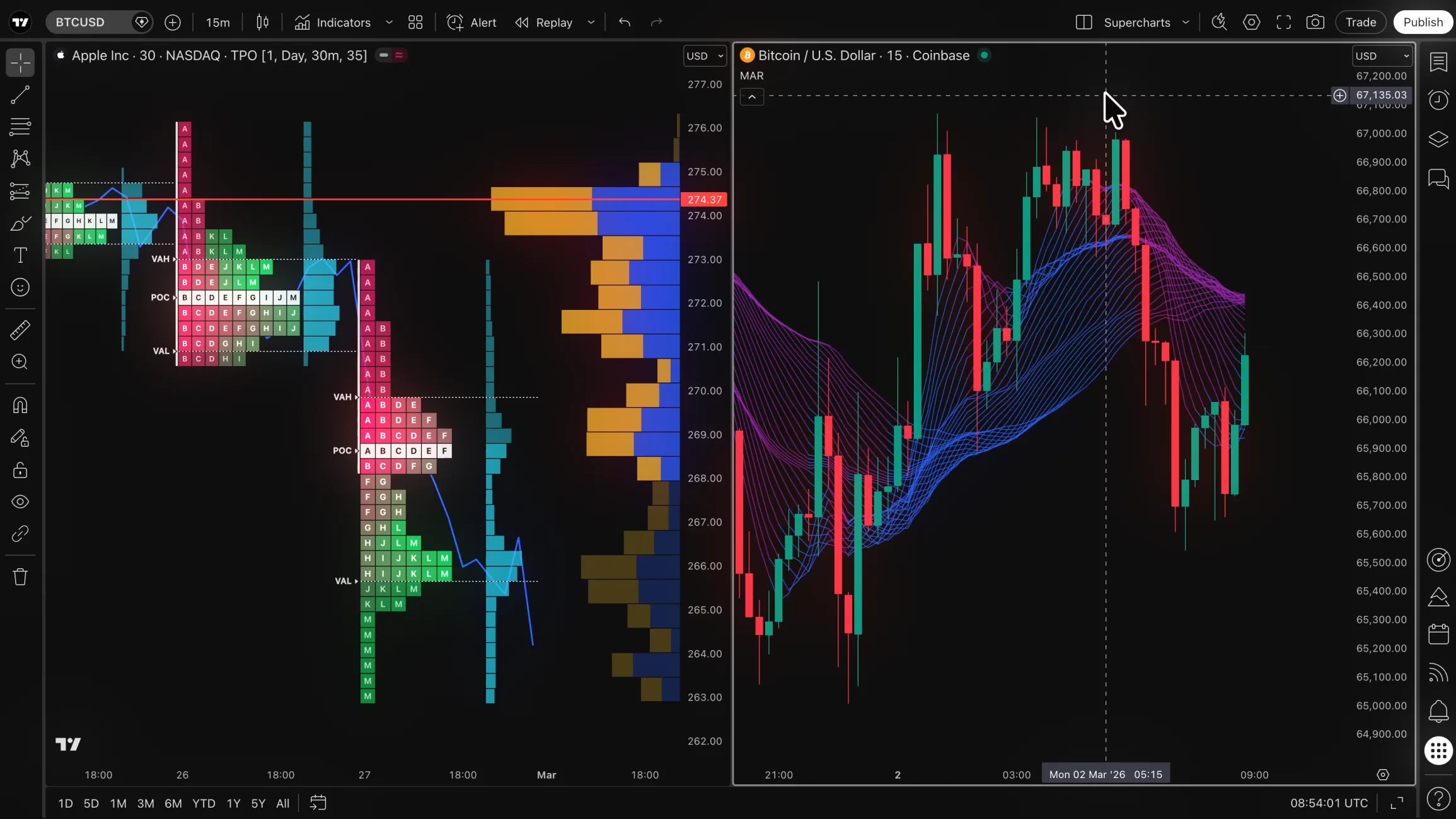
Original TradingView reference interface. An MTClone project is independent software; chart libraries, data and licenses are agreed separately.
A charting product starts with how people investigate a market: find a symbol, choose a timeframe, inspect price behavior and keep related instruments nearby. The interface should make those actions clear without surrounding the chart with controls your audience does not need. That is the starting point for a TradingView-style project.
We plan the browser workspace around your use case, whether it is an analysis website, an education product or a chart area inside an existing portal. We agree the chart library, supported tools, data feed and saved-state behavior before implementation. This makes the delivery requirements more useful than a general request to reproduce every feature of a large platform.
The available chart tools depend on the selected technology. We confirm the feature list, data requirements and usage rights before committing to implementation.
Plan a readable chart area, symbol selection, timeframes and layout controls. Agree the chart types, interactions and device behavior supported by the chosen implementation.
Keep relevant instruments and permitted market information close to the chart. Define sorting, selection, refresh behavior and the source of each field.
Discuss drawing tools, indicators and saved layouts against the capabilities and license of the chosen library. Custom calculations and server-side persistence are separately defined requirements.
Fit the workspace into your brand, navigation and account system. A charting interface can be scoped separately from order execution, broker connections and a MetaTrader API integration.
A TradingView-inspired visual experience does not automatically include a license to any TradingView library, access to TradingView market data or compatibility with Pine Script. We review the selected charting technology and its terms, the data you are allowed to use and the analysis functions your product must support.
For a useful initial brief, describe your audience, instruments, timeframes and essential tools. Say whether you need a public website or an authenticated workspace, whether preferences should persist and whether trading actions are part of the product. We can then discuss the implementation choices and any provider arrangements your team needs to establish.
Reference: the original TradingView experiencePresent a focused research workspace with charts and watchlists organized around the markets your audience follows.
Discuss a branded chart environment for lessons, explanations and practice, with tools selected for your teaching workflow.
Add an analysis area to a portal or business application while keeping its identity and customer navigation consistent.
Identify users, instruments, devices and the chart interactions that matter. Prioritize the first release around real tasks.
Confirm library capabilities, required licenses, data sources and saved-state requirements for the agreed feature set.
Validate chart navigation, mobile behavior and included connections against the agreed scenarios, then complete deployment and handover.
No. MTClone provides independent development of a TradingView-inspired experience. Any use of a third-party chart library or service is subject to its applicable terms and access requirements.
They are not assumed to be included. We agree the chart technology, data provider and required permissions before defining the implementation.
Compatibility is not automatic. Describe the indicators or analysis behavior you need so the chosen technology and any custom development can be assessed.
Responsive browser behavior can be included in the scope. Chart controls, navigation and supported interactions are checked at the device sizes agreed for the product.
Trading connections can be reviewed separately from the analysis workspace. Message @MTClone on Telegram with your charting and connection requirements to obtain a project-specific quote.
Tell us about your audience, essential chart tools and available data sources. We will review the technical options and prepare a quote for your charting platform.